Rollout Inline PC Specs & Performance Tips
Minimum hardware, recommended notes, and how to keep dual-stick skating at 60+ FPS.
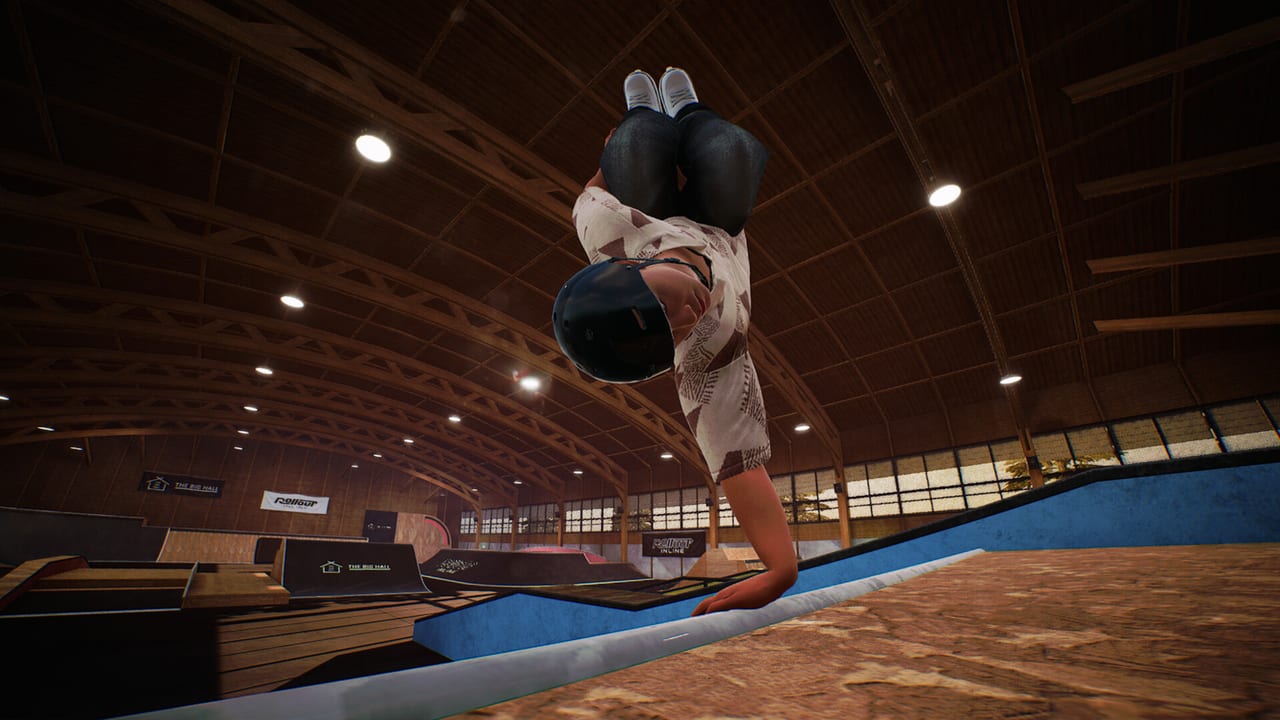
Rollout Inline is a lightweight install with serious feel requirements: the store repeatedly stresses that the game plays best at high FPS and asks you to tune graphics until you hold at least 60 frames per second. Dual-stick grinding, cess slides, and mid-air corrections all read better when frame time is stable. This page lists official-style minimum and recommended targets for the Steam Early Access PC build, then offers practical triage for stuttering parks and Steam Deck sessions.
Pair input fixes with Controller Setup. Parent index: Tools Hub.
Minimum specifications
- OS: Windows 10 or newer (64-bit)
- CPU: Intel Core i5-6600K or AMD Ryzen 3 3300X
- RAM: 8 GB
- GPU: NVIDIA GeForce GTX 1050 Ti or AMD Radeon RX 460 (4 GB)
- DirectX: Version 12
- Storage: about 2 GB available space
- Additional: connect your controller before launch; use Steam Input if non-Xbox pads misbehave; chase 60 FPS
These minimums describe a playable floor, not a guarantee of buttery vert sessions at max settings. Aggressive camera moves across long rails and busy pools benefit from headroom.
Recommended notes
Official recommended text emphasizes:
- OS: Windows 10+
- RAM: 16 GB
- DirectX: 12
- Storage: about 2 GB
- Additional: high FPS focus (60+), controller connected before launch, Steam Input for DualShock/non-Xbox issues, Xbox controller recommended for best experience and force feedback
CPU/GPU “recommended” lines may be less specific than the minimums on the storefront; treat extra CPU/GPU strength as the easiest path to stable frame times while looking good.
Why 60 FPS matters more than pretty reflections
In many games, 40 FPS is “fine.” In Rollout Inline, stick timing is the gameplay. Low frame rates add perceived latency to right-stick pops and dual-stick foot adjustments. Players often mislabel that mush as bad mechanics. Before you downgrade yourself on Trick Difficulty, verify FPS in the park where you practice hardest—not only in the main menu.
Settings triage (15 minutes)
- Cap or uncap frames intentionally; know your number.
- Lower shadows, post-processing, and anti-aliasing first.
- Reduce resolution scale if you must choose between blur and sticky sticks.
- Close heavy browser/GPU overlays while testing.
- Re-test on a rail line and a vert section—costs differ.
- Re-enable cosmetics eye candy only after 60 is stable.
If FPS is fine but inputs still fail, stop tuning graphics and open Controller Setup.
Storage, DirectX, and install hygiene
A roughly 2 GB footprint installs quickly, which tempts moving the game between drives often. After moves, verify Steam files if stutter appears. Keep GPU drivers reasonably current for DirectX 12 titles, but avoid installing a driver mid-challenge session—reboot cleanly, then skate.
Steam Deck performance mindset
Steam Deck Verified means Valve’s checklist passed, not that every park corner holds peak clocks forever. On Deck:
- Prefer performance overlays while learning a new map from Maps Overview.
- Lower settings until dual-stick corrections feel immediate.
- Tether a cooler environment for long unlock grinds; thermal throttling feels like skill regression.
- Remember the game still wants a proper controller paradigm—Deck controls count, but community layouts can still sabotage you.
Linking performance to progression
Harder challenge batches after map level-ups punish late corrections. If you only drop settings when a batch appears, you will associate difficulty spikes with “broken physics.” Keep a stable performance profile for unlock sessions described in Challenges and Progression, and optionally raise visuals during casual free-skate nights.
Hardware upgrades that actually help
- More RAM if you sit at 8 GB with Chrome eating four of them
- A GPU that holds 60+ at your monitor’s resolution without desperate scaling
- A solid Xbox-class pad (feel upgrade > marginal GPU jump for many players)
- A display with clear 60 Hz or higher operation—no hidden low-refresh modes
Related reading
- Controller Setup — pads and Steam Input
- Getting Started — first-hour checklist including FPS
- Controls — what stable frames are protecting
- Early Access Launch — day-one ship context
- Game Overview — feature summary for buyers
- Official Links — Steam page for the latest published specs
Meet the minimums, chase the frame rate, then chase the lines. Pretty parks are optional; responsive sticks are not.
Frequently Asked Questions
Quick answers for aggressive inline players.
What FPS should I aim for?
At least 60 FPS. The store notes Rollout Inline plays best at high frame rates.
What are the minimum CPU and GPU?
Intel Core i5-6600K or AMD Ryzen 3 3300X, and GTX 1050 Ti or RX 460 4 GB, plus Windows 10+, 8 GB RAM, DX12, ~2 GB storage.
Is 8 GB RAM enough?
It meets minimums, but 16 GB is called out in recommended notes—close background apps if you stay on 8 GB.
Does Steam Deck meet requirements?
The game is Steam Deck Verified. Still monitor FPS and lower settings during busy park sections if needed.
My FPS is fine but controls feel wrong—what next?
Leave this page and follow Controller Setup.