Rollout Inline Replay Editor for Practice & Clips
Scrub dual-stick feet, fix approaches, review challenges, and cut readable lines.
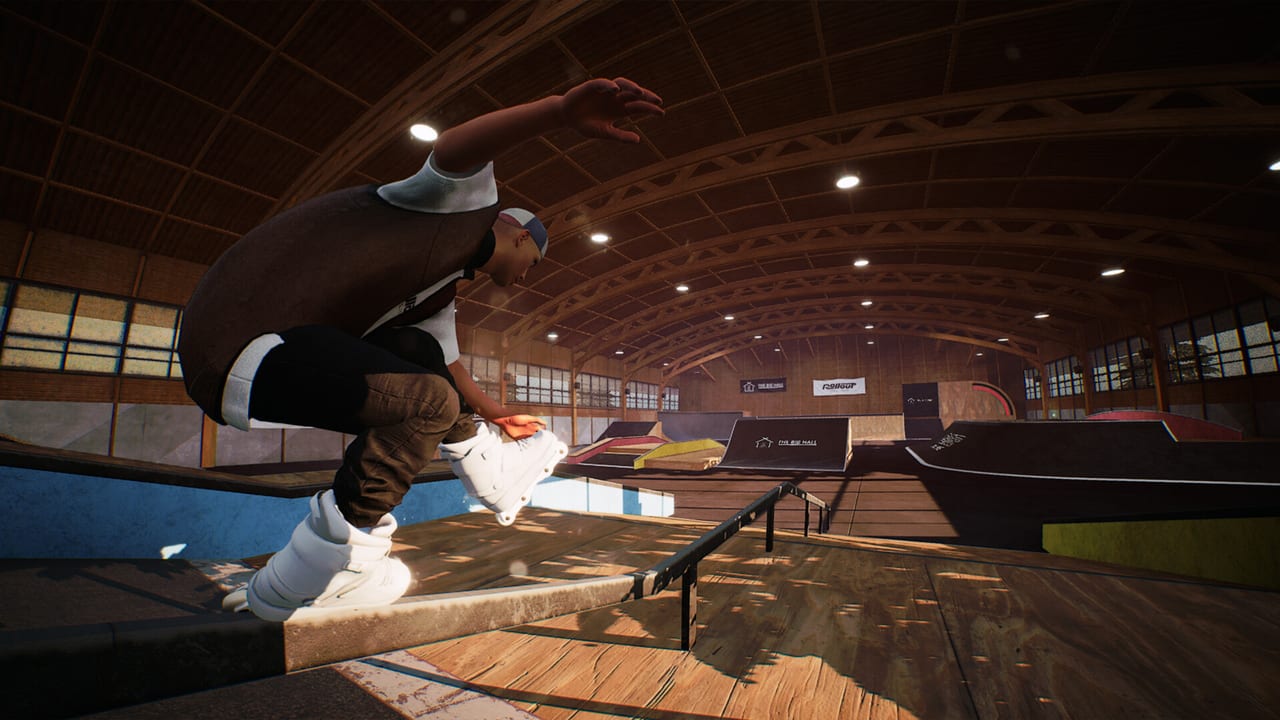
Rollout Inline’s replay editor is not a vanity extra. Dual-stick skating maps each analog stick to a foot, which means most “mysterious” bails are visible if you slow the moment down: a trailing foot that left the rail early, a right-stick pop that fired late, a left-stick spin that kept asking after the coping ended. This page treats the editor as a practice instrument first and a clip cutter second.
Parent index: Tools Hub. Stick roles you are auditing: Controls. Trick families to compare against: Tricks and Grinds.
The Steam feature list calls out a Replay Editor alongside difficulty settings, optional balancing, and original in-game music. Exact camera widgets can still move during Early Access (launch September 15, 2026; planned exit around Q3/Q4 2027, subject to change). This guide will not invent hotkeys, slow-mo percentages, or export formats the storefront does not document. The workflow stays useful even if a button migrates: record a line, scrub the miss, fix the approach, skate it again.
Why dual-stick needs a visual audit
On a pad, both feet are always speaking. A grind that felt “almost locked” in your hands often shows one stick drifting toward a spin while the other held a stable edge. You cannot feel that split as clearly as you can see it. Cess slides hide the same problem: the exit looks like panic braking until the replay shows the feet never committed to the slide angle.
Use the editor after:
- A grind you entered three times at the same speed and dumped in the same place
- A gap you had the distance for but not the axis
- A handplant that missed coping by a skate length
- A challenge pin you “almost” had, twice
If failures are random—different rails, different frames, stick stutter on camera—stop filming and check hardware. Replays cannot fix Steam Input or 40 FPS. Those belong on Controller Setup and System Requirements.
Practice workflow: record, scrub, fix the approach
Treat a session like coaching tape, not content creation.
- Pick one sentence. One rail, one gap, or one challenge objective. Not a full park tour.
- Record the attempt you care about, including the approach. The miss is rarely the last frame; it is usually speed, angle, or foot placement two seconds earlier.
- Scrub to lock-in, then to exit. Watch left foot and right foot as separate characters. Dual-stick language only clicks when you can name which stick lied.
- Name the fault in one phrase. “Trailing foot opened.” “Pop late.” “Spin after the rail ended.” If you cannot name it, scrub again instead of guessing a new trick.
- Change only the approach. Same obstacle, same stance goal, one correction: slower entry, earlier pop, quieter left stick, simpler feet.
- Skate three more tries before recording another clip. The editor is a microscope. Staring at one fail for twenty minutes without skating is how people freeze.
That loop is how Tricks and Grinds drills actually stick. The tutorial tells you what a family is; the replay tells you whether your feet did it.
Foot audit checklist
When the replay is paused on a rail, ask:
- Did both sticks arrive before the lock, or did one catch up mid-grind?
- Did a stick drift toward spin while you still needed a hold?
- Did the exit start on the last quarter of the rail, or after you were already airborne?
- Did the right-stick jump steal a foot that was still grinding?
On airs, ask whether the pop was early enough to clear, then whether rotation was finished before the landing slope. On plants, ask whether you still had speed at coping or had already dumped it in the transition. Write the answer down if you have to. Dual-stick mastery is visual as much as tactile.
Customization as readability, not fashion
Clothing unlocks through progression; skates are freely customizable at any time. Use that split for tape. High-contrast wheels and frames make foot angle obvious against steel and coping. A dark skate on a dark rail hides the exact miss you came to study. Details live on Character and Skates.
For practice tape, pick contrast over a coordinated fit. For clip nights, swap to the look you earned. Do not stall a replay session hunting a jacket; the editor is diagnosing feet, not outfits. After a map level-up, a new piece is a souvenir you can wear on the next recorded line—not a reason to skip the scrub.
Maps: the editor as a scouting tool
Early Access ships three maps. After a failed gap, scrub the approach and mark where speed died. After a rail bail, note the landmark two seconds before pop—“clip the graffiti, then jump”—so the next attempt is navigational. Maps Overview is the scout; the replay is the surveyor’s note.
Busy vert cages and long rails also show hitch. If the tape itself stutters, your practice FPS is lying to you. Lower settings, then re-record. A pretty park in a 40 FPS replay teaches late timing.
Steam Deck Verified handheld is excellent for drill loops. For long scrub sessions, dock and use a larger screen if you can; watching feet on a small display is how small stick errors get missed. Connect an Xbox pad before launch if you dock. The editor does not care which pad recorded the line, but your next attempt will.
Challenges: review the pin, not your ego
Challenge batches level maps and unlock clothing. When a pin dumps you, record the fail and translate it into a mechanic before you mash retry. Rail language means dual-stick feet. Slide language means a committed cess angle. Air language means pop plus rotation. Vert language means leftover speed at coping.
Challenges and Progression already recommends style sessions that ignore new pins and replay earlier sets. Pair that with the editor: clean an old objective on tape, then take the harder batch. If the scrub shows the same early-exit every time, you do not need a new map—you need a quieter left stick.
Do not use the editor as a way to avoid skating the batch. One recorded fail, one named fault, three retries. Then either clear the pin or park it and free-skate the weak family.
Clip-making without lying to yourself
Clips are allowed. They are just a different session contract.
- Practice tape keeps the miss in. You watch the dump on purpose.
- Clip tape starts after the line is already consistent. Cut the approach you trust, not the lucky save you cannot repeat.
- Honesty matters because this is single-player Early Access, not a lobby. A clip that needed max-kind difficulty and 30 tries is still a clip; it is a poor practice note if you pretend it was cold.
If you tighten difficulty or enable optional balancing for “real” footage, do that before you start recording, not after a lucky take. Feel tools belong on Difficulty Settings. The editor shows what those tools did; it does not replace them.
Keep original in-game radio at a volume that does not hide landing cues while you scrub. Music energy is useful for clip nights; it is noise when you are counting frames of a foot slip.
What this page will not promise
We will not list unpublished export paths, social upload buttons, or a keyframe-by-keyframe camera manual. If MLMEDIA documents those during Early Access, they will land in Updates. Until then, the valuable skill is diagnostic: see the foot, name the fault, fix the approach.
Keyboard and mouse cannot operate the dual-stick language the tape is judging. A controller is required. Record with the pad you will play with tomorrow.
Related reading
- Tools Hub — setup and session tools
- Controls — which stick you are watching
- Tricks and Grinds — the families on tape
- Maps Overview — where to film approaches
- Character and Skates — contrast for foot reads
- Challenges and Progression — pins worth reviewing
Record the line. Scrub the feet. Fix the approach. That is the whole editor, and it is enough to climb the three launch parks without guessing.
Frequently Asked Questions
Quick answers for aggressive inline players.
Is the replay editor only for making clips?
No. Use it first to audit dual-stick feet after failed lines. Clip-making comes after the line is consistent.
What should I look for when I scrub a grind?
Which foot arrived late, which stick drifted into spin, and whether the exit started before the rail ended. Pair with Controls.
Why do high-contrast skates matter in replays?
They make foot angle readable against rails and coping. Setup tips are on Character and Skates.
Should I replay challenge fails or only stylish lines?
Replay the fail. Translate the pin into a mechanic using Challenges and Progression, then retry.
Can a replay fix mushy inputs?
No. If the tape stutters or sticks drift, leave the editor and use Tools Hub setup pages for pad and FPS issues.